
BibiShort - Reel, Drama Series
SHENPENGFEIEntertainment
4.51.61K Reviews
- Version
- 1.12.1
- Installs
- 100.00K
- Age Rating
- Teen
Screenshots


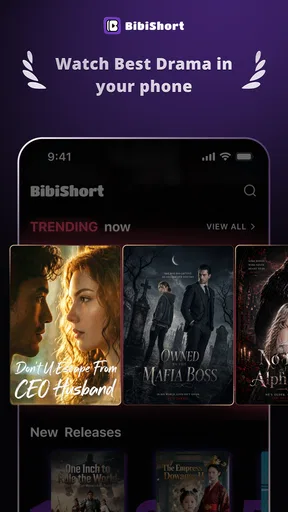

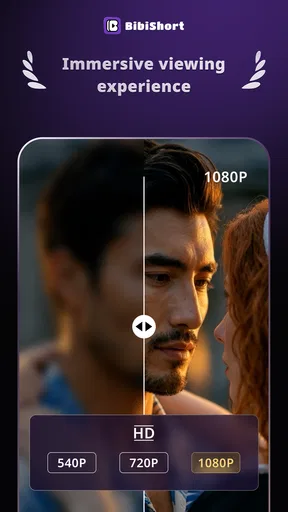


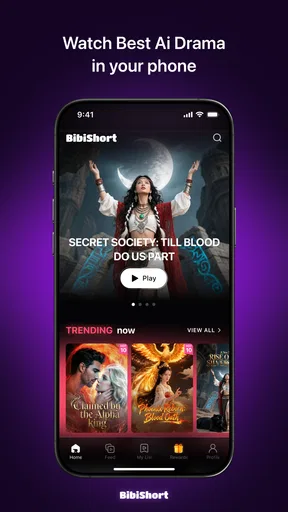
Our Review of BibiShort - Reel, Drama Series
 Analysis by Appyee
I approached BibiShort - Reel, Drama Series as a quick entertainment app rather than something to replace every video service on my phone. Its idea is easy to understand: open it when I have a few spare minutes, browse short-form viewing, and move on without committing to a full film or long episode. That makes it appealing for commutes, waiting rooms, short breaks, and those moments when I want something lighter than a conventional streaming session.
The app comes from SHENPENGFEI and is listed in the entertainment category. It is free to install, carries a Teen content rating, and currently runs as version 1.12.1 on devices using Android 7.0 or later. The headline is simple, but the real question is whether the experience remains convenient after the first launch. In my use, the answer depends less on the basic concept and more on how patiently you handle loading, account or device setup, and the way short-form viewing fits your habits.
Getting past the first points of friction
The first place I would expect a new user to get stuck is not the content itself. It is the transition from installing the app to reaching a comfortable viewing rhythm. A short-video application has to do several things quickly: open reliably, present something understandable, respond to taps, and make it obvious how to continue watching. If any of those steps feels unclear, the app can seem less polished than it really is.
I recommend treating the first launch as a setup session rather than immediately judging the entire service. Let the opening screen finish loading, look for the main browsing controls, and avoid tapping repeatedly if the interface appears slow. Repeated taps are a common source of confusion because they can trigger delayed actions together once a connection catches up. On a phone with limited free storage or a busy background connection, that delay may look like a broken screen even when the request is still processing.
Another practical check is the operating system. The minimum requirement is Android 7.0, so an older device may be the real reason for trouble rather than the application. Even when a phone technically meets that requirement, age can still matter in everyday use. Older hardware may take longer to render moving content, switch between clips less smoothly, or struggle when several other apps are active. I would close demanding background apps before deciding that BibiShort itself is unstable.
The free installation is useful for trying the viewing style without an upfront purchase. However, the app includes optional in-app purchases ranging from $0.99 to $149.99 per item. I would pay attention to every purchase screen and avoid treating a prominent button as part of ordinary navigation. If you are setting it up on a family device, the Teen rating and the presence of purchases are good reasons to use the device’s purchase controls before handing it to a younger viewer.
The Teen rating also affects who I would recommend it to. I would not present the app as automatically suitable for children simply because the videos are short. Parents should make their own decision based on the viewer, the material that appears, and the level of supervision they prefer. For an adult or older teenager looking for quick entertainment, the rating is a useful reminder to keep expectations realistic rather than assuming a child-focused catalog.
Small setup habits that prevent avoidable problems
My first useful habit is to test the app on the connection you actually plan to use. If you expect to watch during a commute, try it away from your home network before relying on it for a daily routine. A service that feels instant on a strong private connection may behave differently on crowded mobile data. This is not a criticism unique to BibiShort; short-form video is especially sensitive because playback depends on a steady stream of small media requests.
I also suggest starting with a short session and observing what happens when you pause, leave the app, and return. That simple test tells you more than an uninterrupted first viewing. You learn whether the app resumes in a sensible place, whether the screen needs time to refresh, and whether your phone’s battery or data use makes the experience practical. I would rather discover those details at home than when I am already depending on the app to fill a long journey.
If the interface seems empty, give it a moment before assuming there is no content. A blank or partially loaded screen can come from a temporary connection problem, a delayed response, or an overloaded device. The safest sequence is to wait briefly, check the connection, and reopen the app once. Constantly uninstalling and reinstalling should be a later step, not the first reaction, because it can erase local state without fixing a network issue.
Recovering a viewing session without starting over
Short-form viewing encourages fast decisions, so a small interruption can feel more annoying than it would in a long movie. If playback stops, I would first note whether other internet-dependent apps are also struggling. If they are, switching between Wi-Fi and mobile data, when available, is a more sensible test than repeatedly pressing play. If everything else works normally, closing and reopening BibiShort is a reasonable next step.
When a screen appears frozen, I would avoid opening several copies of the app or rapidly changing sections. Give the current action time to finish, then use one clean restart. On Android, the exact wording of system controls varies by device, but the general workflow is the same: leave the app, return to it, and only consider stronger measures if the problem continues. This approach reduces the chance of confusing a temporary delay with a persistent fault.
A useful recovery trick is to separate playback problems from navigation problems. If one clip will not load but the rest of the interface responds, the issue may be tied to that particular request or momentary delivery failure. If every screen is unresponsive, the device, connection, or app process deserves more attention. I would not draw a broad conclusion about the whole catalog from a single failed load.
There is also a trade-off between convenience and troubleshooting. Clearing local app information or reinstalling can sometimes provide a clean start, but it is disruptive and may remove any locally remembered state. I would reserve that step for repeated failures after simpler checks. Before using it, make sure you know whether you will need to repeat any sign-in or preference choices. That is a general precaution, but it matters especially when the app has already been working and suddenly begins behaving strangely.
For a realistic everyday example, imagine opening BibiShort during a ten-minute lunch break. The best workflow is to launch it before the break begins, allow the first screen to settle, and keep your connection stable rather than moving between networks mid-session. If playback fails, switch to another connection or restart once instead of spending the entire break troubleshooting. The app is most useful when it stays in the background of your routine; it becomes less attractive when every short session requires technical attention.
Knowing when the phone or network is responsible
Video apps often receive blame for problems caused elsewhere. A weak signal, aggressive battery management, low free storage, or an older processor can all affect a viewing session. If BibiShort opens but video takes a long time to appear, I would inspect those surrounding conditions before concluding that the app is at fault. The same test applies to audio, touch response, and sudden pauses: compare the behavior with another media app on the same device and connection.
Battery restrictions deserve particular attention on phones that tightly manage background activity. If the app behaves differently after you switch away and return, the operating system may be limiting what it can do while inactive. I would check the phone’s general battery settings rather than changing several unrelated options at once. Making one change at a time helps identify the actual cause and avoids creating new battery or privacy trade-offs just to improve one viewing session.
Storage is another overlooked factor. Even without inventing a specific storage requirement, it is fair to say that a nearly full phone can behave unpredictably when handling media and temporary files. Removing unused downloads, photos, or apps may improve the overall device experience. If every other app is also slow, focus on the phone first. If only BibiShort has trouble while other video services work normally, then a clean restart or app-specific troubleshooting becomes more reasonable.
Network switching can create misleading symptoms. Moving from Wi-Fi to mobile data while a clip is loading may interrupt the request, and entering a tunnel or elevator can produce a pause that looks like an app failure. I would wait until the connection is stable before judging playback. For regular travel, I would also keep expectations modest: this is a short-form viewing tool, not something I would depend on as my only source of entertainment in places where connectivity is uncertain.
Where it fits beside familiar alternatives
The strongest comparison is with ordinary short-video platforms. Those services often emphasize an endless personalized feed, social interaction, creator tools, or a broad mix of clips. BibiShort’s identity is narrower in feel, leaning toward short entertainment and drama-style viewing. That can be a benefit when I want a more focused break instead of a feed that keeps pulling me into unrelated topics.
On the other hand, a general video platform may be better if I want tutorials, music, news, established channels, or a large variety of long-form material. A conventional streaming service is usually the better choice for a planned evening, a complete film, or a series that benefits from uninterrupted storytelling. I would choose BibiShort when the time available is uncertain and the goal is quick viewing, not when I want the depth, predictability, or broader library structure associated with those alternatives.
The short format creates a specific trade-off. It lowers the commitment needed to begin watching, but it can also make the experience feel fragmented. If you prefer carefully paced episodes or dislike stopping before a story feels complete, the format may test your patience. I found the app easier to appreciate when I treated it as a collection of brief entertainment moments rather than a replacement for a full television session.
Another comparison concerns spending. The app is free to start, which lowers the barrier to testing it, but optional purchases can change the experience for users who are tempted by paid items. I would decide in advance whether I am only browsing free material or willing to spend, then stick to that boundary. The wide purchase range means this is not an area where I would rely on impulse, especially on a shared device.
Who will enjoy it, and who should skip it
I would recommend BibiShort to someone who regularly has small gaps in the day and wants entertainment designed around them. It suits viewers who enjoy brief drama-oriented content, prefer opening an app without committing to a long program, and are comfortable judging the experience on their own phone and connection. The free entry point makes it practical to test before forming a strong opinion.
I would be more cautious recommending it to someone who wants a clearly planned watchlist, offline reliability, a traditional television catalog, or a child-safe environment by default. The Teen rating alone makes it unsuitable as an automatic family recommendation. I would also point heavy viewers toward a more established long-form service if their main goal is complete seasons, films, or consistent viewing over a large screen.
Its audience size gives some context: the app has an average rating of 4.5 from around 30,000 ratings, with about 1,600 written reviews and more than 100,000 installs. Those figures suggest that people are trying it and generally responding well, but they do not guarantee that every device, network, or viewing preference will match mine. Ratings are useful as a starting signal, not a substitute for checking whether the format fits your habits.
My practical verdict after using it
My view is that BibiShort works best when you approach it as a focused short-form entertainment option with realistic expectations. The concept is convenient, the free installation makes experimentation easy, and the Teen rating gives a clearer boundary than treating the app as universal family viewing. I especially like the way it can fill a brief pause without requiring the planning that comes with a full streaming service.
The main friction is not a complicated feature set; it is the ordinary collection of issues that can interrupt mobile video: slow connections, older hardware, delayed loading, and unclear reactions to repeated taps. A careful first setup, one-change-at-a-time troubleshooting, and a quick comparison with other apps on the same phone will usually tell you whether the problem is local or app-specific. That practical approach matters more here than chasing perfect playback in every situation.
My recommendation is to try it for short, low-pressure sessions first. Use a stable connection, keep purchase decisions deliberate, and see whether its drama-focused rhythm suits the way you actually spend spare minutes. If you want a broad video ecosystem or long, uninterrupted storytelling, choose a conventional alternative instead. If you want something lighter and more immediate, BibiShort - Reel, Drama Series is a sensible free app to test, provided you are comfortable with its Teen audience and the possibility of optional spending.
Verdict
Strengths of BibiShort - Reel, Drama Series
- Short episodes fit easily into quick breaks.
- Large selection of bite-sized drama content.
- Simple interface makes discovering series effortless.
- Frequent cliffhangers encourage continued viewing.
- Suitable for users who prefer mobile-first entertainment.
Limitations of BibiShort - Reel, Drama Series
- Some stories may feel rushed because of their short format.
- Content quality can vary between different series.
- Ads may interrupt viewing, depending on the current setup.
- Many episodes or features may require in-app purchases.
- Streaming requires a stable internet connection for smooth playback.
Similar Picks in This Category
View All
Google Play Games
Google LLC3.9

Netflix
Netflix, Inc.4.8

YouTube Kids
Google LLC4.2

Disney+
Disney4.4

Prime Video
Amazon Mobile LLC4.7

Steam
Valve Corporation3.2
Frequently Asked Questions
What is BibiShort - Reel, Drama Series?
BibiShort - Reel, Drama Series is a mobile entertainment app focused on short-form episodic dramas. It presents compact stories in a vertically oriented format, making them convenient to watch on a phone during short breaks. The catalog may include romance, family conflicts, suspense, and other popular drama themes. Episodes are generally designed to be quick, engaging, and easy to continue from one chapter to the next.
Is BibiShort - Reel, Drama Series free to download and use?
The application can generally be downloaded without paying an upfront installation fee, but that does not necessarily mean every episode or feature is free. Like many short-drama platforms, BibiShort may use advertising, in-app purchases, virtual coins, subscriptions, or other access limits for selected content. Before watching extensively, users should check the current pricing, payment terms, and whether a free trial renews automatically.
Does BibiShort require an internet connection to watch dramas?
An internet connection is normally required to browse the catalog, load video episodes, synchronize viewing progress, and access account-related features. Depending on the version of the app and the specific title, some content may offer offline viewing after downloading, although this should not be assumed for every episode. Using Wi-Fi is recommended because repeated short videos can consume a significant amount of mobile data.
Is BibiShort suitable for children and teenagers?
Parents should review the app’s official age rating and consider the themes of the individual series before allowing children to use it. Short dramas can include romance, mature relationship situations, emotional conflict, violence, suggestive dialogue, or advertising that may not be appropriate for younger viewers. The availability of parental controls can vary, so families should also review privacy permissions and supervise in-app purchases.
What permissions and account information does BibiShort use?
The permissions required by BibiShort can vary by device, operating system, and app version. Video and account services may involve network access, notifications, storage access for downloads, and information connected with an optional login or purchase. Before installing, users should read the current privacy policy and the permissions shown in the official app store. Avoid granting access that is unrelated to the app’s viewing features.
